
Materials & Colors
Create material choices, show swatches or images and control the colors available to customers.
Materials say what the sign is made of — and therefore how it is priced. Colors say how it looks. Both live in Core Setup of a configuration.
Materials
Open Core Setup › Materials to see the materials of the configuration, their price, their pricing profile and which one is selected by default. Drag the rows to change their order in the configurator.
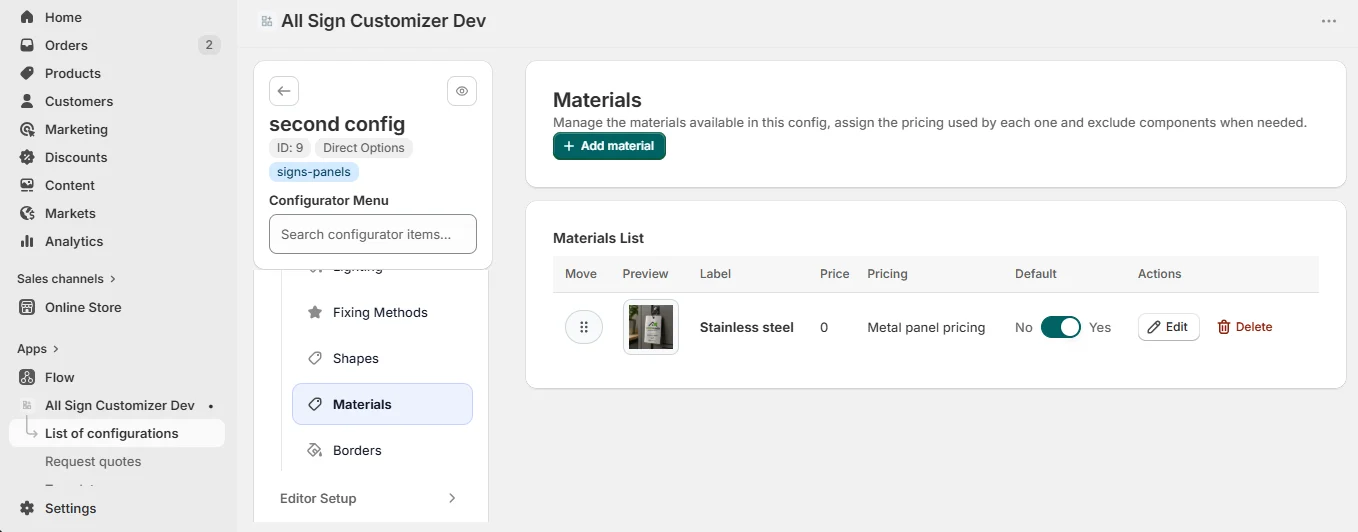
Click Add material (or edit one) and fill in:
| Field | What it does |
|---|---|
| Label | The material name customers see: “Brushed aluminium”, “Clear acrylic”. |
| Description | One line on thickness, finish or use (indoor / outdoor). |
| Preview image | The swatch in the material list. |
| Popup image | A larger photo opened from the swatch, to show the real finish. |
| Pricing used by this material | The pricing profile applied when this material is selected — this is what makes an aluminium sign cost more than a PVC one of the same size. See Pricing Overview. |
| Additional price | The price used for this material when no pricing profile is linked. |
| Exclude components | Hide additional components that cannot be produced on this material. |
Create a pricing profile per material family before linking it. A material without profile is priced with its additional price only, whatever the size.
Colors
Core Setup › Colors is the color library of the configuration. Each color describes the face of the sign and the text that goes on it.
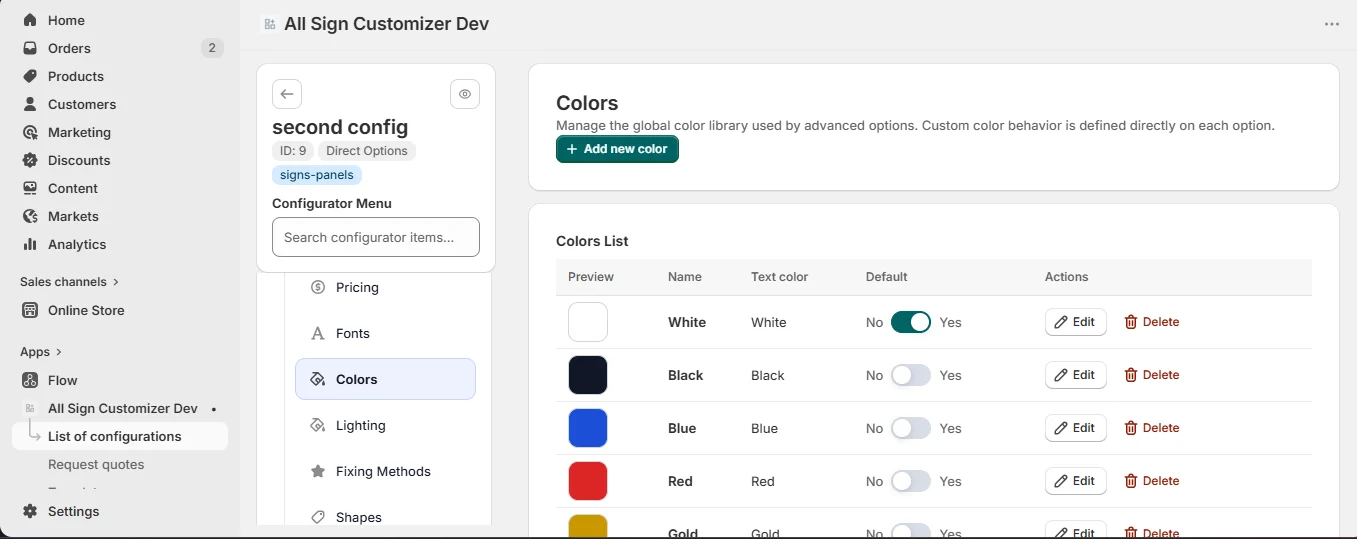
- Name — the customer-facing name: “White / Black”, “Brushed silver”.
- Pattern — a Flat color (material background color) or a Pattern image for wood grain, brushed metal, marble…
- Text color — enable it to force a readable text color on this background, with its own name.
- Use the same color for border — the border follows the text color.
- Additional price — a surcharge for premium finishes.
- Preview image — the swatch shown to customers.
“Black / Gold”: flat background #111111, text color gold #C9A24B named “Gold engraving”, same color for border, +5.
In a Build from Presets configuration, each design then selects which of these colors it offers, and can allow a color picker (Unlimited colors) for custom combinations.
Checklist
- Every material has a preview image and a pricing profile.
- One material and one color are set as default.
- Text colors stay readable on their background.
- Pattern images are seamless and light (WebP or JPG).
Get product news by email
New features, release notes and setup tips — a few emails a year.