
Personalized signs from your own preset designs
Start from a finished design and let customers edit only the text, images or options you choose.
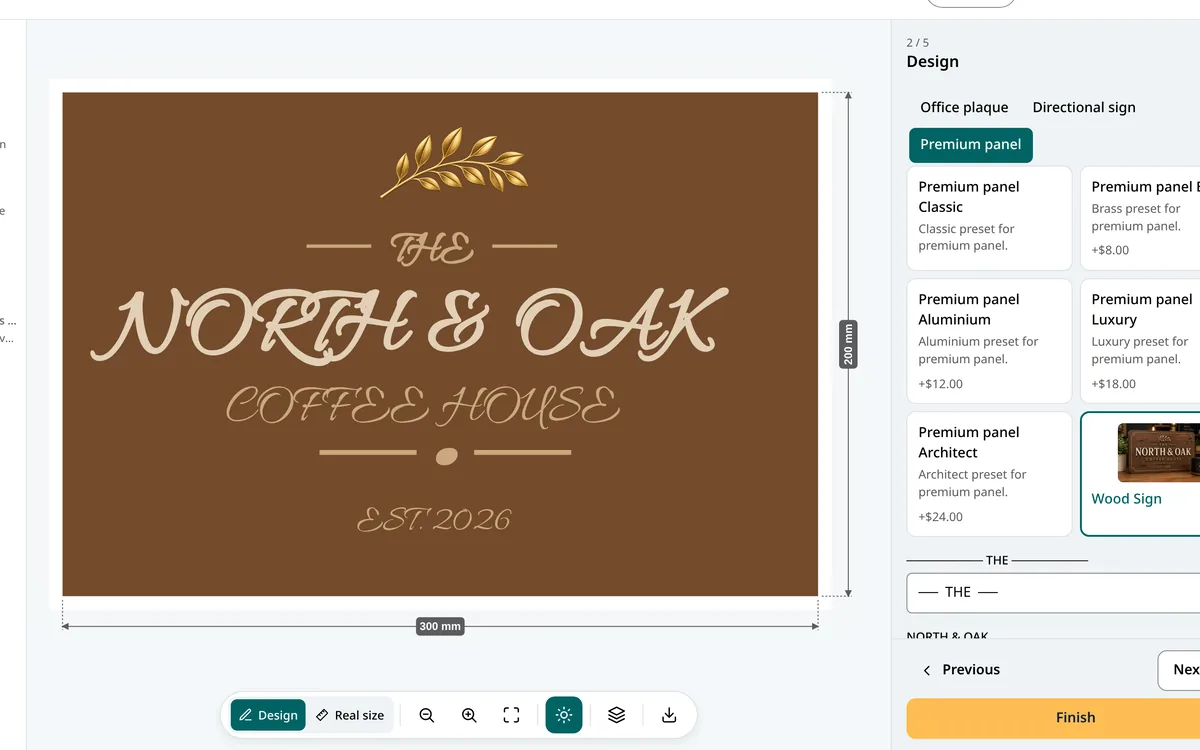
A finished design, personalized in seconds.
Some customers don’t want to design a sign from scratch: they want your design with their name on it. Preset Mode (the “Build from Presets” setup model) starts the configurator from a gallery of designs you prepared, and opens only the parts you choose: a text, a logo, a color, a size. Everything else stays locked.
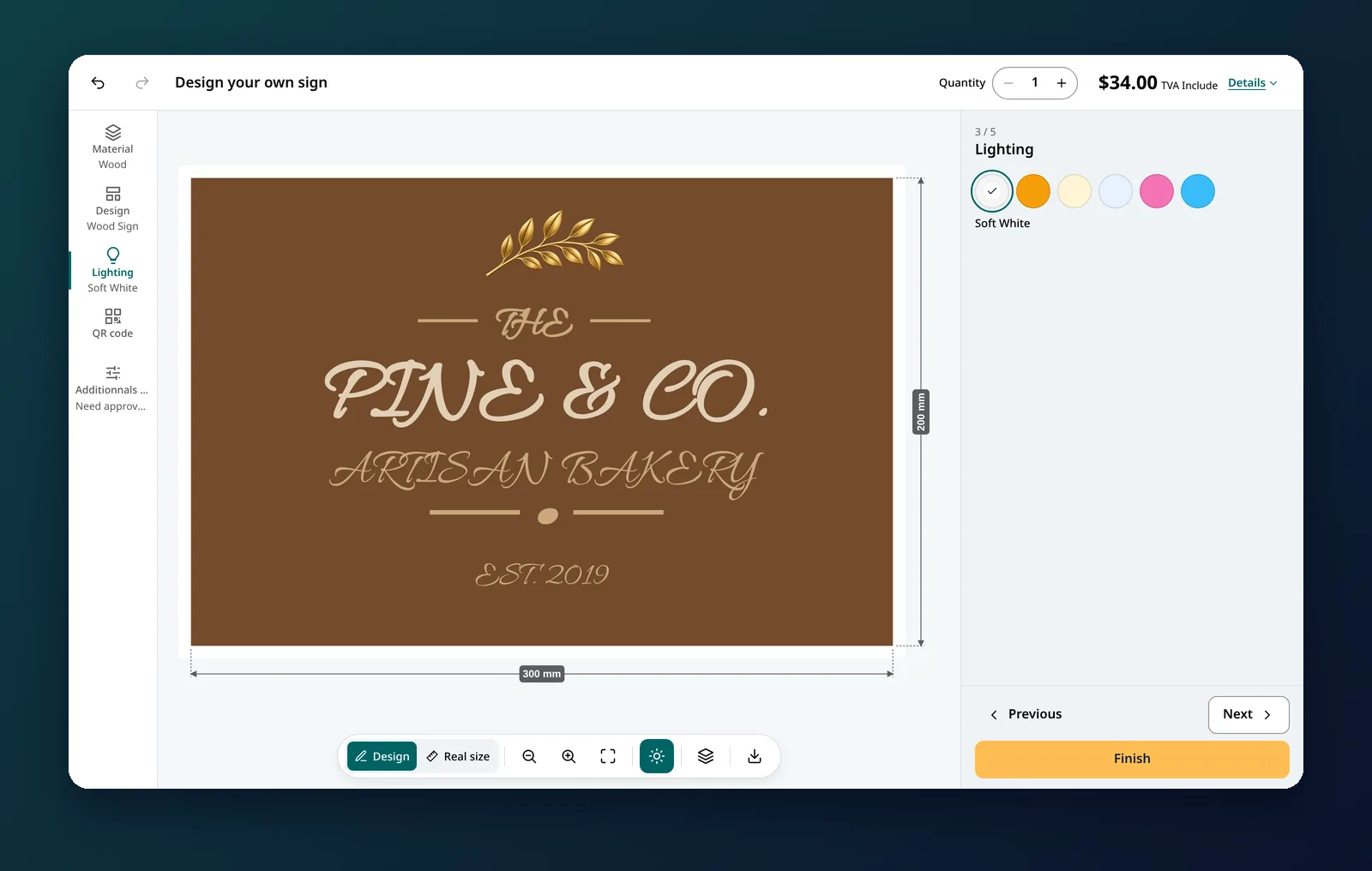
Why sign shops use it
- Every order is producible. Proportions, spacing and shapes can’t be broken by a customer.
- Faster checkout. Customers change a name or a number and add to cart.
- One design, many orders. House numbers, office plaques, door tags, direction signs: the same layout, endless variations.
- Your style, protected. Customers personalize your best designs; they don’t redraw them.
What you decide for each design
A preset design is more than a picture. Each one carries its own rules, set in separate modules in the app:
- Sizes: the sizes this design is sold in, and the default one.
- Shape: a shape from your library, or a custom SVG silhouette for this design only.
- Colors: the color combinations allowed (material background and text color), with an optional color picker on Premium.
- Fixings: managed fixing methods, or a custom fixing layer drawn for an unusual silhouette.
- Text zones: each field the customer fills in (“Main text”, “Subtitle”…), with a default value, required or not, and minimum and maximum characters.
- Image zones: where a customer’s logo lands, with the accepted files (PNG, JPG, SVG, WebP), the maximum size, a fit mode (contain, cover or stretch) and a minimum resolution so small images are refused before they reach production.
- Lighting and borders for illuminated or framed designs, and an optional extra price for the design itself.
Designs are grouped in collections, shown as tabs in the configurator (“House & Address”, “Office & Door”, “Directional”…). Configure design opens the real configurator on a design so you can place the text and image zones exactly where they belong.
Start with a ready-made catalogue
When you create a preset configuration, you can include the starter template: nine designs in three collections (Modern Address, Arched House Sign, Round Address Plaque, Office Nameplate, Room Number, Door Tag, Reception Arrow, Shield Direction, Creative Direction), each with its own silhouette, fixing layer, three sizes and editable text. Most shops have a working product in about ten minutes, then adapt the designs to their own style.
How it works
- Create a Signs & Panels configuration and choose Build from Presets.
- Add your collections and designs, and open on each one only what customers may change.
- Link it to a Shopify product. Customers pick a design, fill in its text, and order.
Frequently asked questions
What can customers change on a preset design?
Only what you open: the text zones, image zones for a logo, and the sizes, colors, fixings, borders and lighting you link to that design. The layout stays locked.
Is there a starter catalogue?
Yes. The starter template creates nine ready-made designs in three collections (house and address, office and door, directional), each with three sizes and editable text.
Can customers upload a logo?
Yes, in the image zones you define, with the accepted formats (PNG, JPG, SVG, WebP), a maximum file size, a fit mode and a minimum resolution.
Which products support Preset Mode?
Signs and panels configurations. Banners and stickers use the step-by-step builder, and neon and channel letters have their own letter configurators.