
A live sign designer on your Shopify product pages
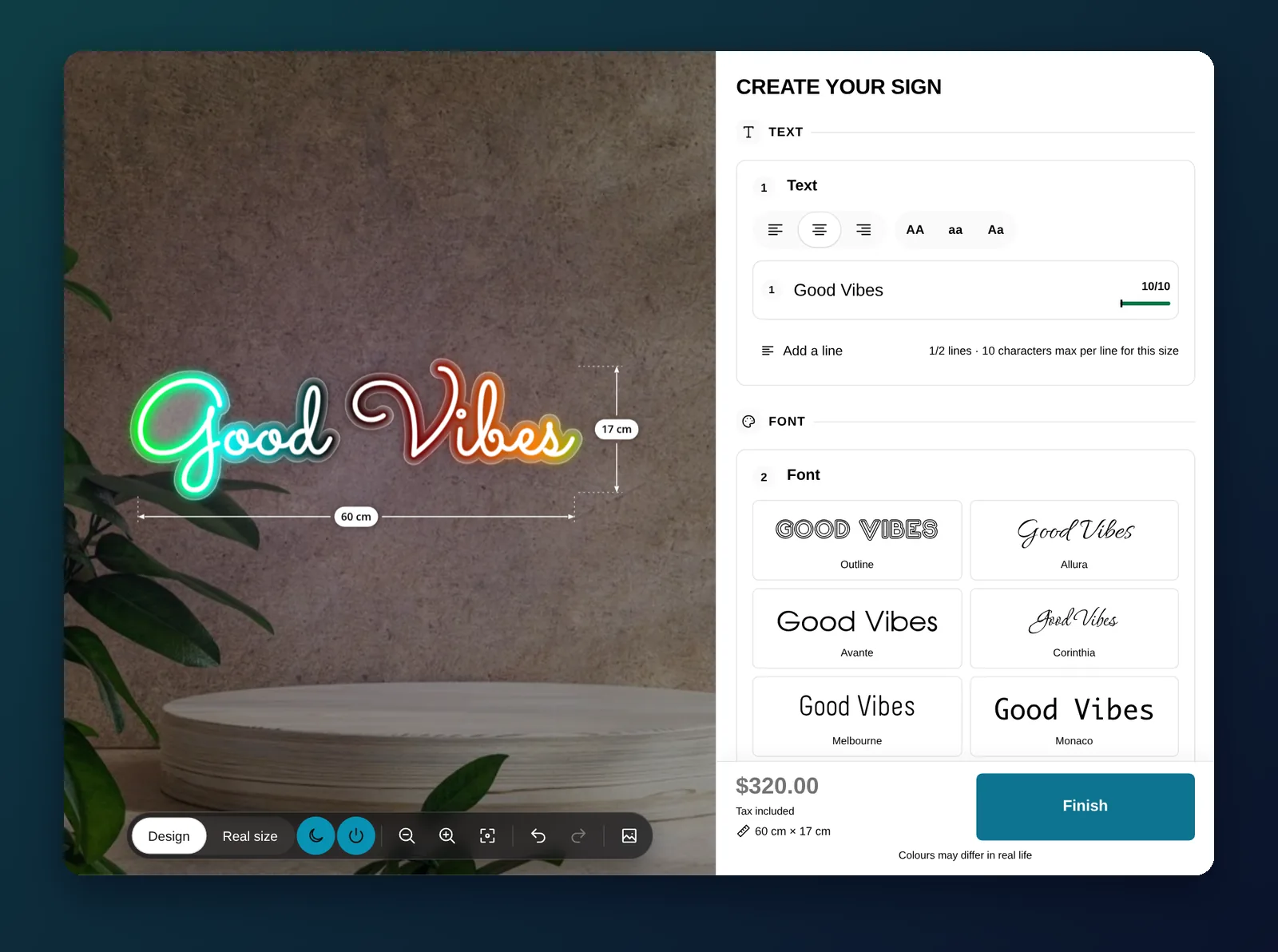
Customers design their sign on a real-time preview: text, fonts, sizes, materials, colors, lighting and fixings.
Your customers design. Your rules apply.
All Sign Customizer adds an online sign designer to your Shopify product pages. Customers type their text, choose a font, a size, a material and their options, and see the result immediately on a preview that shows real dimensions. Everything they can pick comes from the configuration you built, so every design they finish is a sign you can make.
What customers can change
- Text: one or several lines, with alignment, case and per-line character limits.
- Fonts and colors: from the fonts you upload (Google fonts or your own .ttf files) and the colors you allow.
- Size: preset sizes, or custom dimensions on Premium.
- Materials, shapes and borders: each with its own price.
- Lighting and fixing methods: drawn on the preview (glow color, holes, caps, standoffs), so customers see what they buy.
- Images, cliparts and QR codes: uploaded or picked from your library.
One designer, every kind of sign
Signs are not all built the same way, so the designer adapts to the product family you choose when you create a configuration:
- Signs & Panels: plaques, panels and nameplates in acrylic, aluminium, brass, wood, plastic, stainless steel or vinyl. Customers go through simple steps: material, size, shape, fixings, colors, text.
- Banners and Stickers: the same step-by-step builder, priced by surface.
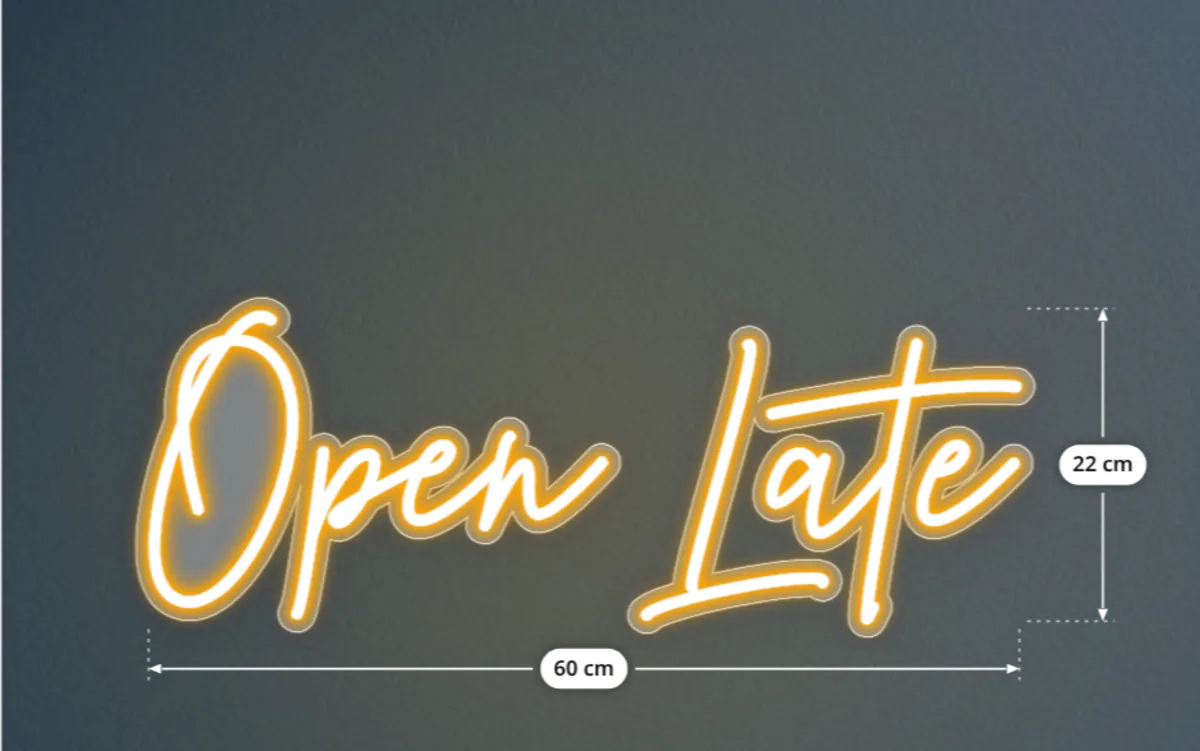
- Neon letter signs: the text comes first. Customers pick a font and a neon color, switch between day and night to see the glow, then choose a backboard, a jacket and a mounting.
- Channel letters in acrylic, metal or wood: customers choose a letter type, then the face, trim, side and back-lit finish of each part.
For guided products such as house numbers, door tags or office nameplates, you can also start customers from a finished design with Preset Mode.
A preview that sells the sign
Buyers of custom signs hesitate because they cannot picture the result. The live preview answers that question before they ask it: the text reflows as they type, the dimensions update with every size, the fixing method appears where it will be drilled, and a neon sign can be seen lit or unlit. The price is shown next to the design and follows each change, so customers reach the cart already sure of what they are buying.
You keep control of what is possible. Options can be excluded on the sizes, shapes or materials where you cannot produce them, colors and finishes can be limited to certain dimensions, and a minimum order price covers set-up costs on very small signs. Customers only ever see valid combinations.
Made for desktop and mobile
The designer opens in a popup over your product page, or embedded in the page if you prefer. Its layout adapts to phones, and undo, redo, layers, zoom and a real-size view help customers get it right the first time. If your theme’s styles interfere with it, one setting isolates the designer in an iframe.
How it works
- Install the app and create a configuration: choose the product family, your materials and the setup model. Demo data gives you a working designer in minutes.
- Link the configuration to a Shopify product and add the app block to your product template from the theme editor. No code to edit.
- Customers design, see the price, and add to cart. The order arrives with the design, a recap of every option and the production files.
Frequently asked questions
Does the sign designer work on mobile?
Yes. The configurator opens in a popup or embedded in the product page, with a layout adapted to phones, plus undo, redo, zoom and a real-size view.
Which kinds of signs can customers design?
Signs and panels, banners, stickers, LED neon letter signs and channel letters in acrylic, metal or wood. Each product family has its own builder.
Can customers create something I cannot produce?
No. They only see the materials, sizes and options you configured, and you can exclude options on the sizes, shapes or materials where they do not fit.
Do I need to edit my Shopify theme code?
No. The configurator is an app block you add to your product template from the Shopify theme editor.