
How to Sell Personalized Wood Signs Online
Turn your wood sign designs into products customers personalize themselves: editable fields, sizes and finishes, the right files for laser, CNC or UV print.
Personalized wood signs sell all year: family name signs, house numbers, welcome boards, cabin and lake house signs, wedding and nursery signs, business signs for cafés and shops. They are also easy to get wrong online. Customers misspell names in order notes, ask for fonts you do not have, and wait for proofs that slow every order down. This guide shows how to set up a wood sign shop online so customers personalize the sign themselves, see it before they buy, and send you an order you can produce right away.
Start from designs, not from a blank board
Most wood sign buyers are not designers. They fall for a layout, then want their own words on it. The products that sell best online are therefore designs with editable fields: your arched family sign with “The Millers, Est. 2019”, your round address plaque with their house number. The customer changes the words; the composition, fonts and spacing stay as you drew them.
This has three benefits: every order looks as good as your product photos, the customer finishes in a minute instead of struggling with a blank canvas, and the result is always something your machines can make.
Decide what customers can change
For each design, list the fields and options, and nothing more:
- Text fields: name, date, house number, a short line. Mark which ones are required and set a maximum number of characters so long names do not overflow the layout.
- Fonts: usually fixed per design. If you let customers choose, offer two or three that suit the layout.
- Size: two or three sizes per design, each with its price.
- Wood and finish: the species or stains you offer, natural, painted or burnt.
- Hanging or fixing: keyhole slots, rope, sawtooth hanger, screws, stakes for garden signs.
- Logo or photo, for business signs: an image zone with a minimum resolution, so a blurry logo is refused before the order is placed.
Match the files to your production method
The way you make the sign decides what file you need with each order:
| Method | File you need |
|---|---|
| Laser engraving or cutting | Vector (SVG), at real size, text converted to paths |
| CNC carving or V-carving | Vector (SVG) for the toolpaths |
| UV printing on wood | PDF or PNG at 300 DPI, at real size |
| Hand painting with stencils | Vector to cut the stencil, plus the recap of fonts and colors |
Whatever the method, the order should also carry a recap of each text with its font, the size, the wood and the finish. That replaces the proof email in most cases.
Replace proofs with a live preview
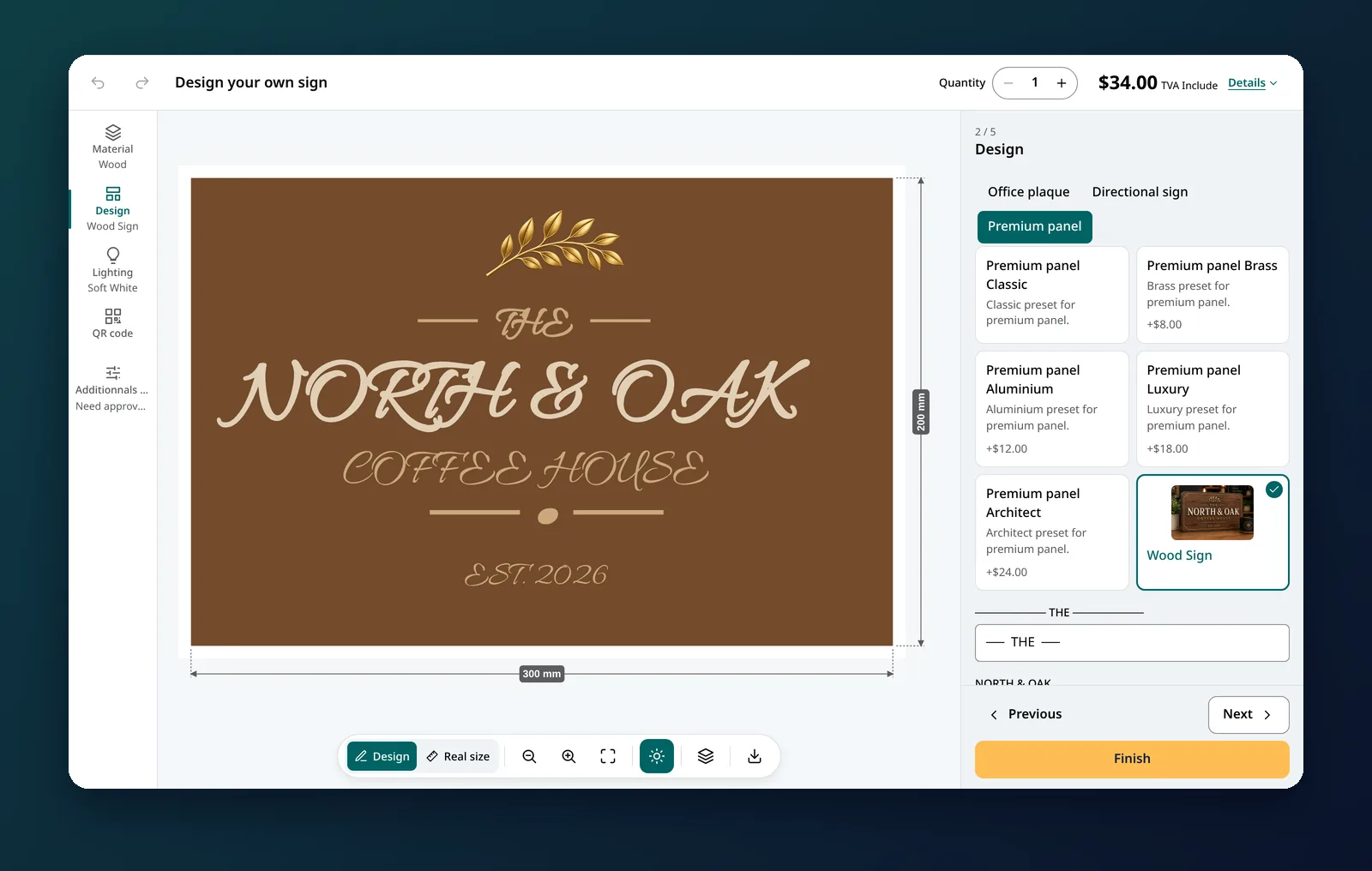
Many wood sign shops send a proof before production because customers make mistakes. A live preview moves that check to the moment of purchase: the customer types their name, sees it on the sign, and confirms. Typos are caught by the person who knows the spelling. Keep a proof step only for complex or high-value pieces.
Pricing personalized wood signs
- By size, as the base: each size of each design has a price.
- Options on top: premium wood, painted lettering, hanging hardware, outdoor finish.
- Per design: a design that takes longer to engrave can carry an extra amount.
- Quantity discounts for event and business orders.
Product page checklist
- Photos of real signs in real homes, at each size, so customers understand the scale.
- Production and delivery times stated clearly, especially before holidays and wedding season.
- Care instructions and whether the sign is suitable for outdoors.
- Several designs grouped by occasion (home, wedding, business, gifts), so customers find their style fast.
Doing it with All Sign Customizer
In All Sign Customizer, the Shopify app we make, this is Preset Mode: each design has its own text zones with character limits, image zones, sizes, colors, fixings and borders, and designs are grouped in collections shown as tabs. Custom silhouettes (arches, cut-out shapes) get their own SVG shape and fixing layer. Orders carry the recap and the file in the format you choose, SVG for laser and CNC or PDF for printing. The Preset-based product guide starts from nine ready-made designs, and the wood sign demo shows the customer side.